Introduction
Imagine shipping hundreds of units to Amazon, only to have your entire shipment rejected at the fulfillment center door. The culprit? Incorrect box labeling costs you weeks of delays, expensive return shipping, and potential account penalties. For Amazon FBA sellers, proper box labeling isn’t just a recommendation—it’s the difference between smooth operations and costly setbacks.
This comprehensive guide will walk you through everything you need to know about Amazon FBA box label requirements, from exact specifications to common pitfalls that can derail your shipments. Whether you’re a new seller preparing your first FBA shipment, an experienced merchant scaling operations, or an international seller navigating cross-border logistics, mastering these labeling requirements is crucial for your success.
You’ll learn the different types of labels required, exact printing specifications, placement rules, and proven strategies to ensure your shipments sail through Amazon’s receiving process without delays or thermal labels.
What Are Amazon FBA Box Labels?
Amazon FBA box labels are mandatory identification tags that must be affixed to every shipping container sent to Amazon fulfillment centers. These labels serve as the communication bridge between your supply chain and Amazon’s automated receiving systems, containing critical information that determines how your inventory is processed, stored, and tracked with a scannable barcode.
In the FBA supply chain, box labels appear at multiple stages:
- Factory/Supplier Level: Initial labeling during product packaging
- Warehouse/3PL Facility: Additional carrier and shipment labels
- Amazon Fulfillment Center: Scanning and verification upon arrival
Box labels essentially transform anonymous cardboard boxes into trackable, identifiable units within Amazon’s vast logistics network. Without proper labeling fba labels, Amazon’s systems cannot process your shipment, leading to delays, additional fees, or complete rejection.
Key Types of Labels & Their Functions
FBA Shipment/ID Label
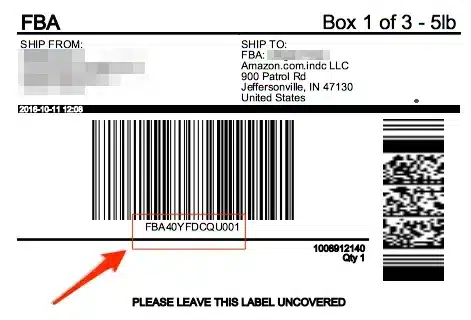
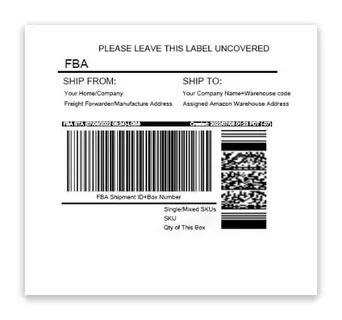
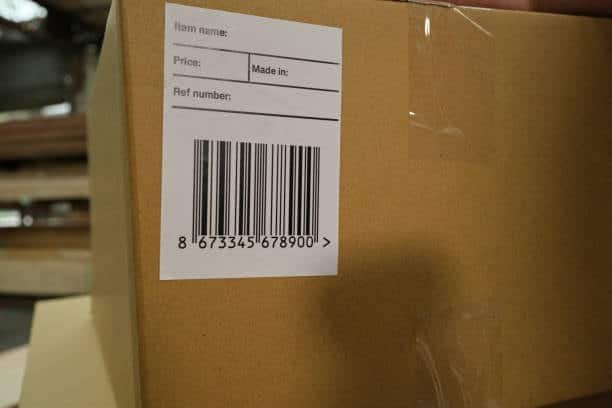
The FBA shipment label is the primary identifier that Amazon’s systems use to process your boxes. Understanding the full carton labeling requirements ensures this label contains specific information in a standardized format
Required Information:
- Box Number: Sequential numbering (Box 1 of 10, Box 2 of 10, etc.)
- Ship From Address: Your warehouse or supplier’s complete address
- Ship To Address: The designated Amazon fulfillment center address
- FBA Shipment ID: Unique identifier generated in Seller Central
- Barcode: Machine-readable code for automated scanning
- QR Code: Additional digital identifier for system integration
- SKU Information: List of products and quantities in each box
Carrier Label
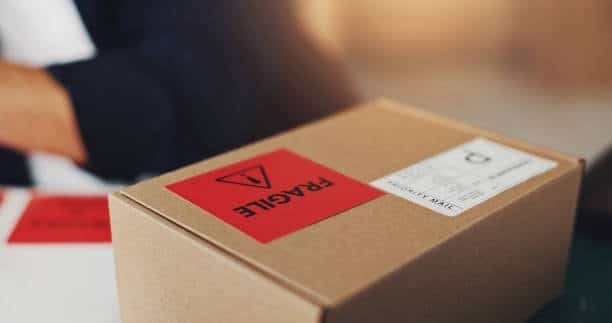
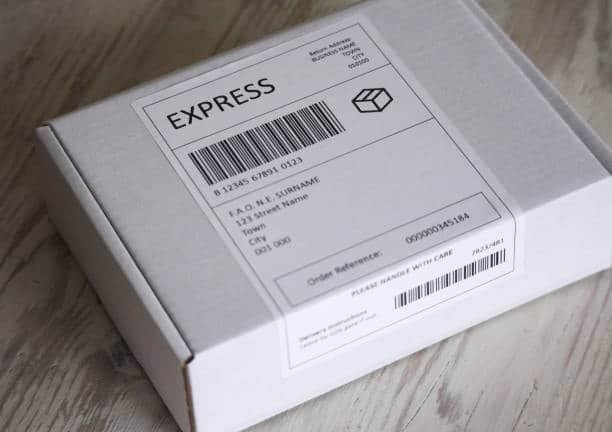
The carrier label facilitates transportation and customs clearance, containing logistics-specific information, label placement:
Essential Elements:
- Shipping Addresses: Complete origin and destination details
- Box Weight and Dimensions: Accurate measurements for handling
- Tracking Number: Carrier-specific identifier for shipment monitoring
- Service Level: Express, standard, or economy shipping designation
- Customs Documentation: For international shipments, including HS codes and declared values, shipping boxes
- Special Handling Instructions: Fragile, hazardous, or temperature-sensitive indicators
Exact Label Specifications
Printing Requirements
Printer Types:
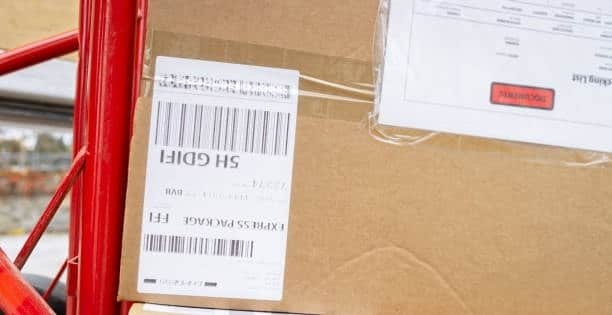
- Thermal Printers: Recommended for high-volume operations due to durability and cost-effectiveness shipping process
- Laser Printers: Acceptable for medium volumes with sharp, smudge-resistant output
- Inkjet Printers: Generally discouraged due to potential smudging and water damage
Paper and Adhesive Standards:
- Label Size: 4″ x 6″ for FBA shipment labels, various sizes for carrier labels
- Paper Type: White, matte finish with permanent adhesive backing
- Durability: Weather-resistant materials that withstand warehouse conditions Amazon sellers
- Print Resolution: Minimum 300 DPI for clear barcode scanning
Design and Appearance Rules
Critical Design Elements:
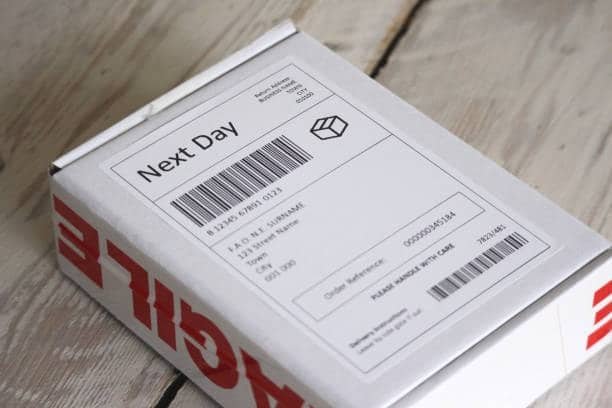
- Color Requirements: Black text on white background for optimal scanner readability, suffocation warning label
- Font Specifications: Arial or similar sans-serif fonts, minimum 12-point size for text
- Barcode Standards: Code 128 format with proper quiet zones
- Contrast Ratio: Minimum 80% contrast between text and background of poly bags
Placement Guidelines
Proper Label Positioning:
- Primary Surface: Place on the largest flat side of the box
- Edge Clearance: Maintain at least 1 inch from box edges and seams
- Accessibility: Ensure labels are visible and scannable when boxes are stacked
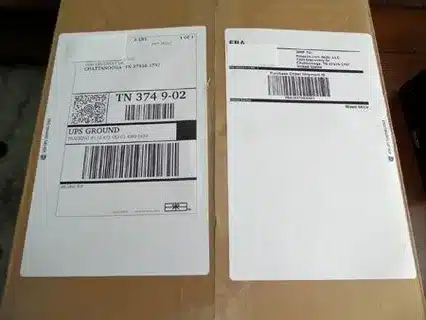
- Old Label Removal: Completely remove or cover any previous shipping labels
Handling Box Reuse: When reusing boxes, thoroughly remove all old labels, markings, and adhesive residue, including any previous FNSKU labels. Any conflicting information can cause processing delays or misdirected shipments.
Common Mistakes to Avoid
Technical Labeling Errors
Print Quality Issues:
- Using low-resolution printing that produces unreadable barcodes
- Selecting incorrect label sizes that don’t fit Amazon’s specifications
- Printing on poor-quality paper that tears or fades during transit Amazon FBA label requirements
Information Accuracy Problems:
- Omitting required barcode or QR code elements
- Including incorrect SKU information or quantities
- Missing essential weight or dimension data
Physical Placement Mistakes
Poor Positioning:
- Placing labels on box seams where they may tear or become unreadable
- Positioning labels too close to the edges where handling equipment may damage them
- Covering existing required markings or other important box information
Incomplete Label Management:
- Failing to remove old shipping labels from reused boxes
- Overlapping new labels with existing markings
- Using damaged or partially adhered labels
How to Label Your Boxes: Options & Best Practices
In-House Labeling
Advantages:
- Complete control over label quality and timing
- Lower per-label costs for high volumes
- Immediate correction of any labeling errors
Requirements for Success:
- Investment in quality thermal or laser printers
- Dedicated labeling workspace with proper lighting
- Trained staff familiar with Amazon’s requirements
- Regular quality control procedures
Outsourcing Options
Supplier/Manufacturer Labeling:
- Often, the most cost-effective option for direct shipments
- Requires clear communication of label specifications
- May involve longer lead times for label template approval
Third-Party Logistics (3PL) Services:
- Professional labeling with compliance expertise through specialized Amazon FBA prep and labeling services
- Scalable solution for growing businesses
- Additional costs but reduced operational burden
Freight Forwarder Services:
- Ideal for international shipments requiring customs documentation, especially when shipping products from China to Amazon FBA
- Combined shipping and labeling services
- Expertise in cross-border compliance requirements
Step-by-Step In-House Labeling Checklist
- Prepare Label Templates: Download current specifications from Amazon Seller Central
- Verify Box Contents: Confirm SKUs and quantities match the shipment plan
- Print Test Labels: Check barcode readability and overall print quality
- Clean Box Surfaces: Remove dust, old labels, and adhesive residue
- Apply Labels Systematically: Follow placement guidelines consistently
- Scan Verification: Test barcode readability with a handheld scanner
- Final Quality Check: Review all labels before sealing boxes
Tips & Tricks for Efficiency and Compliance
Quality Control Systems
Regular Auditing Procedures:
- Implement random sampling of labeled boxes for quality verification
- Maintain labeling error logs to identify recurring issues
- Establish corrective action protocols for non-compliant labels
Technology Integration:
- Use warehouse management systems with built-in labeling modules
- Implement barcode scanning at multiple checkpoints
- Leverage APIs for automated label generation and printing
Scaling Considerations
Multi-SKU Management:
- Develop standardized labeling procedures for different product categories
- Create SKU-specific label templates to reduce errors
- Implement batch processing systems for large shipments
International Shipping Optimization:
- Partner with freight forwarders experienced in Amazon FBA requirements
- Maintain updated customs documentation templates
- Understand country-specific labeling regulations and restrictions
Seasonal and Volume Surge Preparation
Peak Season Planning:
- Increase labeling capacity well before high-volume periods
- Maintain backup printer supplies and equipment
- Train additional staff on labeling procedures
- Establish expedited quality control processes for urgent shipments
Updates & Changes: What Sellers Must Watch Out For
Amazon Policy Evolution
Amazon regularly updates its FBA requirements, and labeling specifications can change with little notice. Sellers should:
- Monitor Amazon Seller Central announcements and policy updates
- Subscribe to FBA-related forums and industry newsletters
- Maintain relationships with logistics partners who track regulatory changes
- Regularly review and update labeling templates and procedures
Regional Compliance Variations
Cross-Border Considerations:
- Different Amazon marketplaces may have varying labeling requirements
- Customs regulations can impact label content and placement
- Local language requirements may apply in certain regions
- Brexit and other trade changes continue to affect international shipping labels
Technology Adaptations
Emerging Requirements:
- Increased use of QR codes and digital identifiers
- Enhanced tracking capabilities require additional label elements
- Sustainability initiatives affecting label materials and disposal
- Integration with Amazon’s expanding logistics network
Conclusion
Mastering Amazon FBA box label requirements is essential for any serious seller looking to avoid costly delays and maintain smooth operations. From understanding the different types of labels and their specific functions to implementing quality control systems that scale with your business, proper labeling forms the foundation of successful FBA operations.
The key takeaways include ensuring your labels meet exact printing specifications, positioning them correctly on packaging, avoiding common mistakes that lead to shipment rejections, and choosing the right labeling approach for your business model. Whether you handle labeling in-house or outsource to experienced partners that offer comprehensive Amazon FBA prep services, maintaining compliance with Amazon’s evolving requirements protects your business from disruptions and penalties.
Before shipping your next FBA shipment, double-check every label against Amazon’s current requirements. Your attention to detail in this critical step will pay dividends in faster processing times, reduced costs, and improved operational efficiency.
FAQ Section
Can I reuse boxes for FBA shipments? Yes, you can reuse boxes for Amazon FBA shipments, but you must completely remove or cover all old labels, markings, and barcodes. Any conflicting information can cause processing delays or shipment rejection. Ensure the box is in excellent structural condition and meets Amazon’s packaging requirements.
What resolution is required for Amazon FBA shipping labels? Amazon requires a minimum resolution of 300 DPI for all shipping labels to ensure barcode readability. Higher resolutions (600 DPI) are recommended for thermal printers to guarantee consistent scanning performance throughout the supply chain.
Do carrier labels need to be printed in black and white? Yes, both FBA shipment labels and carrier labels should be printed in black ink on white paper for optimal scanner readability. Color printing may interfere with barcode scanning and is not recommended for critical shipping information.
What happens if my FBA box labels are not compliant? Non-compliant labels can result in shipment delays, rejection at fulfillment centers, additional processing fees, and potential account penalties. Amazon may require you to arrange return shipping and relabeling before accepting the shipment, causing significant delays and costs.
How far in advance should I prepare my FBA box labels? Label preparation should begin as soon as you create your shipment plan in Seller Central. However, don’t print labels too far in advance, as Amazon occasionally updates requirements or fulfillment center assignments. Print labels within 24-48 hours of shipping for optimal accuracy.